 FreePSDHero
Pharmacy Facebook Cover PSD Template
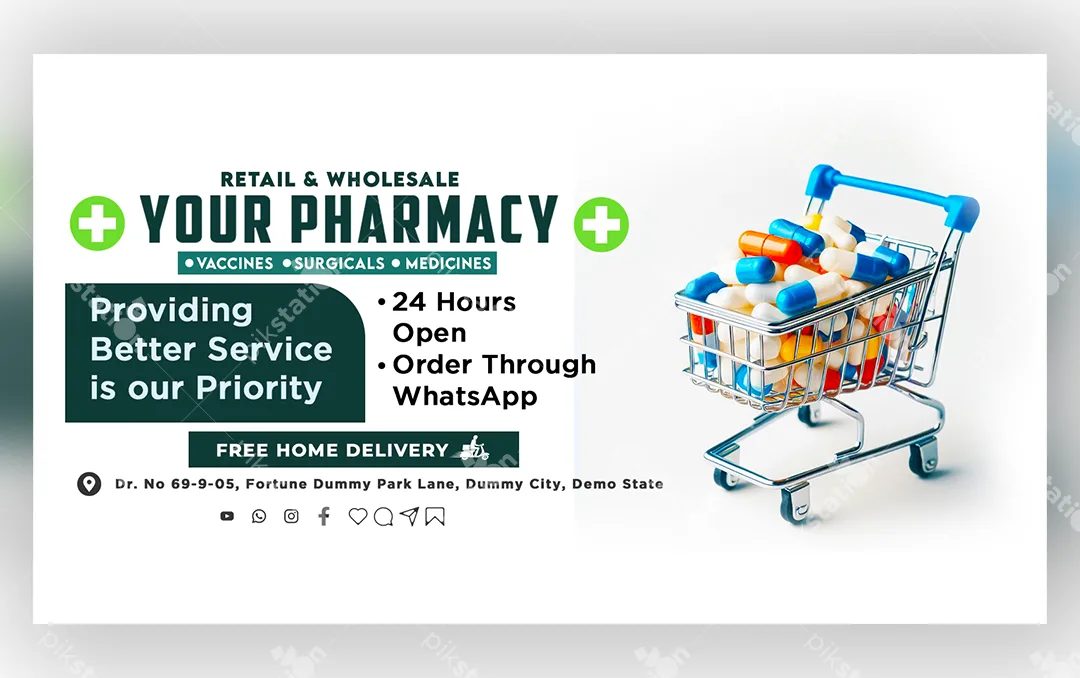
For a local medical store, the Facebook cover is basically a signboard: who you are, what you sell, and how people can order. This free PSD puts all of that on one bright, easy-to-read banner, with a shopping cart full of colourful capsules on the right.
What's in the design
- A large "Your Pharmacy" name with green plus symbols, and a "Retail & Wholesale" line above it
- A strip for what you stock: Vaccines, Surgicals and Medicines
- A dark green box with the line "Providing Better Service is our Priority"
- Highlights for 24 Hours Open and Order Through WhatsApp
- A "Free Home Delivery" banner, an address line and social media icons
Who it suits
Retail chemists, wholesale medical distributors and surgical supply shops. Ordering on WhatsApp and home delivery are what many customers look for first, so the design gives them the most space.
How to customise it
- Unzip the download and open the PSD in Adobe Photoshop.
- Replace "Your Pharmacy" with your store name. Keep it short so it stays on one line.
- Remove any highlight that isn't true for your store. For example, delete "24 Hours Open" if you close at night.
- Add your full address and remove the social icons you don't use.
- Export as JPG or PNG and upload it as your page cover.
Tip: Put your WhatsApp number in the page's About section and the "Send message" button too, so people who see "Order Through WhatsApp" can contact you in one tap.
File details
- File type: Layered PSD (Adobe Photoshop)
- Canvas size: 1600 × 900 px, RGB
- Download size: 3.1 MB (ZIP)
- Includes: PSD file and a PNG export
Note: If a font is missing when you open the file, Photoshop will offer to replace it. Install a similar font or choose your own.
Download this PSD
Free download. Layered Photoshop file. Please read the license before you use it.
Download nowGet new freebies
New free design files, shared on our channels.
TelegramWhatsApp