 FreePSDHero
Ready-Made Multi-Vendor Grocery App Launch Post PSD
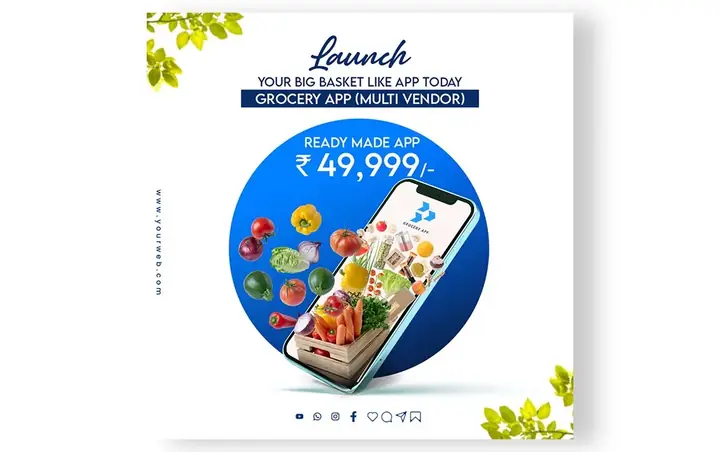
A white post with a phone showing a grocery app inside a blue circle with fruits and vegetables. The text reads 'Launch your big basket like app today' with a price of Rs 49,999.
What's in the design
- Headline and price
- Phone art
- Logo
Who it suits
Grocery stores, supermarkets, kirana shops, food and grocery delivery apps, cloud kitchens and quick-commerce startups.
How to customise it
- Download the PSD file and open it in Adobe Photoshop.
- Replace the logo, app name and phone number with yours.
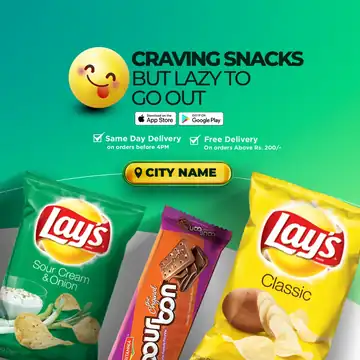
- Change 'City Name' to the area you deliver to and edit the delivery terms.
- Swap the product and phone screen photos for your own app or store.
- Export as JPG at 1080 px for Instagram and WhatsApp.
Important: this design shows other companies' products or logos. Replace them with photos of products you actually sell, and don't use a brand's name or logo in your ads unless you sell it or have permission.
File details
- File type: Layered PSD (Adobe Photoshop)
- Preview size: 1080 × 678 px
- Download size: 111 MB
- Includes: PSD file and a preview image
Download this PSD
Free download. Layered Photoshop file. Please read the license before you use it.
Download now (111 MB)Prompt kit for this template
Copy these into ChatGPT, Gemini, Claude, Midjourney or Adobe Firefly to make matching backgrounds and text for your own version.
AI image prompts for backgrounds and variations
Text prompt to write your headline and offer
Ready captions for Instagram, Facebook and WhatsApp
Questions
How do I open the PSD file?
Open it in Adobe Photoshop. Keep the layers panel visible so you can edit the text and smart objects.
Get new freebies
New free design files, shared on our channels.
TelegramWhatsApp