 FreePSDHero
Party Wear Men's Tee Banner PSD
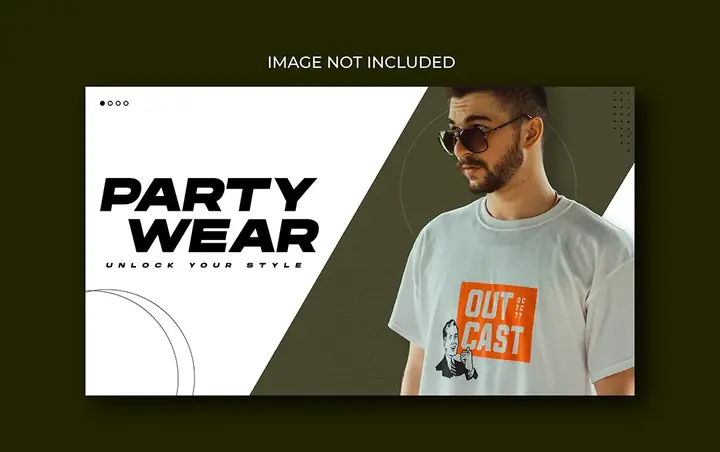
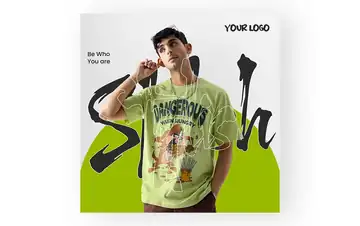
A white and olive banner with a man in sunglasses and a printed tee, and 'Party Wear – unlock your style'.
What's in the design
- Man in sunglasses
- Printed tee
- Bold title
- Diagonal layout
Who it suits
Clothing stores, boutiques, saree and kurta shops, menswear brands, tailors and online fashion sellers.
How to customise it
- Extract the RAR file and open the PSD in Adobe Photoshop.
- Replace the model photo with your own product shoot. Use a cut-out with the background removed.
- Change the headline, prices and offer text.
- Add your logo, store address, phone number and website.
- Export as JPG for Instagram, Facebook and WhatsApp status.
File details
- File type: Layered PSD (Adobe Photoshop), packed as RAR
- Preview size: 1080 × 678 px
- Download size: 1 MB
- Includes: PSD file and a preview image
Download this PSD
Free download. Layered Photoshop file. Please read the license before you use it.
Download now (1 MB)Prompt kit for this template
Copy these into ChatGPT, Gemini, Claude, Midjourney or Adobe Firefly to make matching backgrounds and text for your own version.
AI image prompts for backgrounds and variations
Main imageYoung man in sunglasses and a printed white t-shirt on olive and white, no text, no logos
Background ideaSoft studio fashion background with warm light and minimal props, empty space for a model and text, no text, no logos
Text prompt to write your headline and offer
Write 5 short headlines (max 6 words) and a 40-word caption for a clothing store called [name] in [city] promoting [collection/offer]. Stylish, simple tone.
Ready captions for Instagram, Facebook and WhatsApp
English🎉 Party wear for men. Unlock your style at [store].
Hindi👗 नया कलेक्शन आ गया है! आज ही [स्टोर] पर आएं 📍[पता] 📞[नंबर]
Questions
Can I use my own model photos?
Yes. Paste your photo into the smart object or clipping-mask layer, remove its background with our free background remover, and keep the shadow layers.
How do I open the RAR file?
Use a free tool such as 7-Zip or WinRAR on Windows, or The Unarchiver on Mac. Then open the PSD in Adobe Photoshop.
Get new freebies
New free design files, shared on our channels.
TelegramWhatsApp