 FreePSDHero
Luxury Earrings Christmas Jewellery PSD
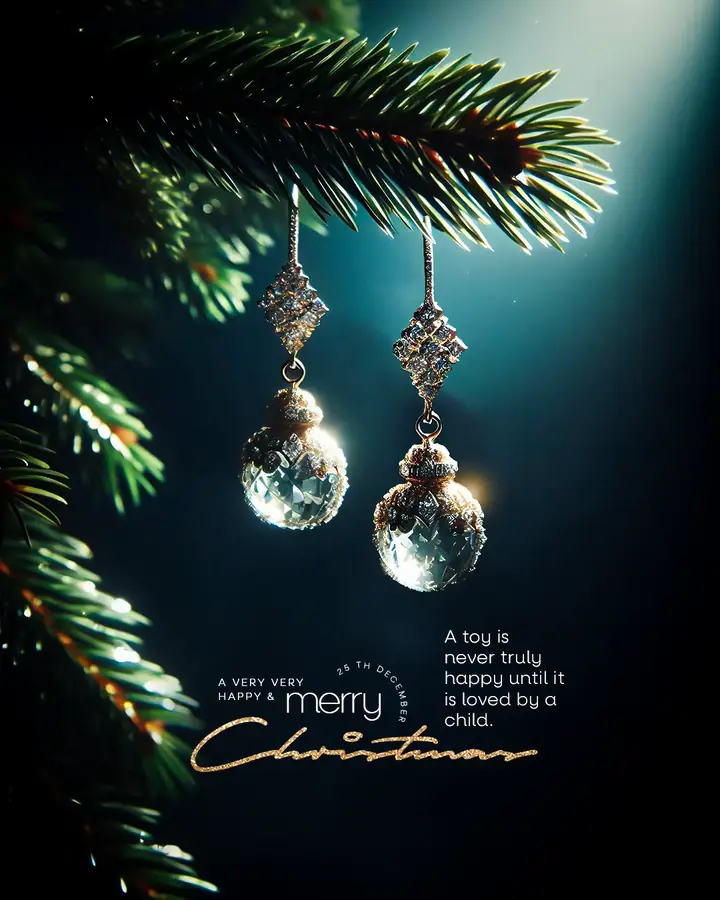
A moody luxury ad. A pair of crystal drop earrings hangs from a pine branch against a dark teal background, with a short quote and a gold 'Merry Christmas' script.
What's in the design
- Crystal drop earrings on pine
- Dark teal background
- Gold script title
- Short quote
Who it suits
Jewellers, watch shops, luxury fashion labels and premium brands that want an elegant Christmas post.
How to customise it
- Extract the RAR file and open the PSD in Adobe Photoshop.
- Replace the product with a photo of your own jewellery. Keep the dark background so it stays premium.
- Change the greeting and the short quote.
- Add your logo, website and phone number.
- Export as JPG at 1080 px wide.
Tip: Replace the earrings with your own product photo.
File details
- File type: Layered PSD (Adobe Photoshop), packed as RAR
- Preview size: 1080 × 1350 px
- Download size: 56 MB
- Includes: PSD file and a preview image
Download this PSD
Free download. Layered Photoshop file. Please read the license before you use it.
Download now (56 MB)Prompt kit for this template
Copy these into ChatGPT, Gemini, Claude, Midjourney or Adobe Firefly to make matching backgrounds and text for your own version.
AI image prompts for backgrounds and variations
Text prompt to write your headline and offer
Ready captions for Instagram, Facebook and WhatsApp
Questions
How do I keep jewellery photos looking premium?
Use a dark, plain background, one soft light and a little reflection. Avoid busy props near the product.
How do I open the RAR file?
Use a free tool such as 7-Zip or WinRAR on Windows, or The Unarchiver on Mac. Then open the PSD in Adobe Photoshop.
Get new freebies
New free design files, shared on our channels.
TelegramWhatsApp