 FreePSDHero
Happy Janmashtami PSD Template with Peacock Feather Close-Up
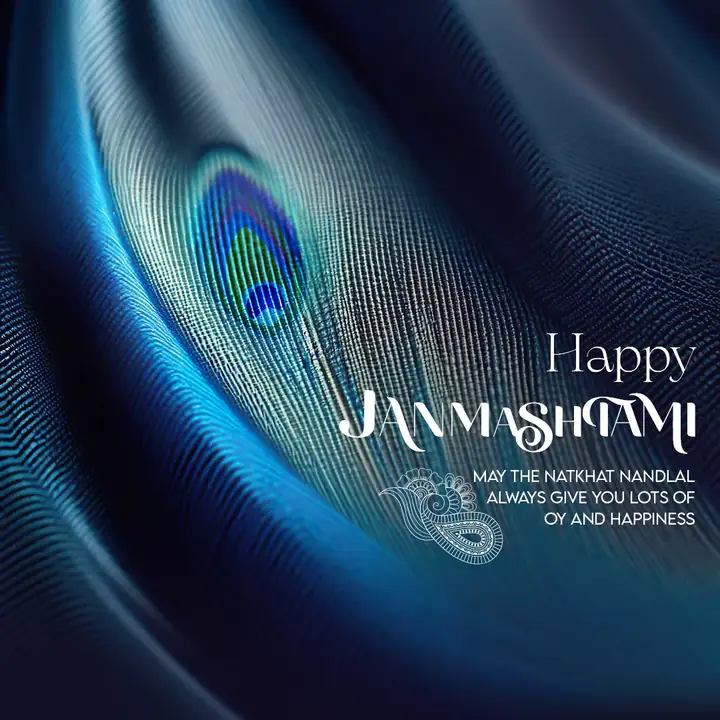
A close-up of a blue peacock feather fills the design with white lettering at the right. The headline reads Happy Janmashtami.
What's in the design
- Peacock feather close-up
- Blue tones
- White lettering
- Short wish
Who it suits
Clothing stores, boutiques, saree and kurta shops, menswear brands, tailors and online fashion sellers.
How to customise it
- Extract the RAR file and open the PSD in Adobe Photoshop.
- Edit the greeting and the short wish.
- Add your logo, brand name and contact details, or remove them for a personal wish.
- Change colours with the adjustment layers if you want them to match your brand.
- Export as JPG at 1080 px for Instagram, Facebook and WhatsApp.
File details
- File type: Layered PSD (Adobe Photoshop), packed as RAR
- Preview size: 1080 × 1080 px
- Download size: 9 MB
- Includes: PSD file and a preview image
Download this PSD
Free download. Layered Photoshop file. Please read the license before you use it.
Download now (9 MB)Prompt kit for this template
Copy these into ChatGPT, Gemini, Claude, Midjourney or Adobe Firefly to make matching backgrounds and text for your own version.
AI image prompts for backgrounds and variations
Main imageClose-up of blue peacock feather texture, no text, no logos
Background ideaRich fabric texture with soft folds and warm festive light, empty space for text, no text, no logos
Text prompt to write your headline and offer
Write 5 short festival wishes (max 12 words) for a clothing brand called [name], with a gentle fabric or style twist, plus a caption with 5 hashtags.
Ready captions for Instagram, Facebook and WhatsApp
EnglishMay the Natkhat Nandlal always give you lots of joy and happiness.
Hindi🎉 त्योहार की हार्दिक शुभकामनाएं! — [ब्रांड]
Questions
How do I open the RAR file?
Use a free tool such as 7-Zip or WinRAR on Windows, or The Unarchiver on Mac. Then open the PSD in Adobe Photoshop.
Get new freebies
New free design files, shared on our channels.
TelegramWhatsApp