 FreePSDHero
Gaming PC Sale PSD with Neon Cabinet
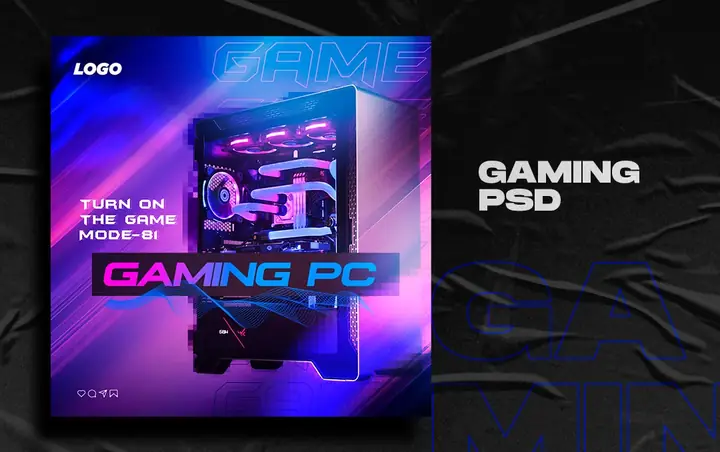
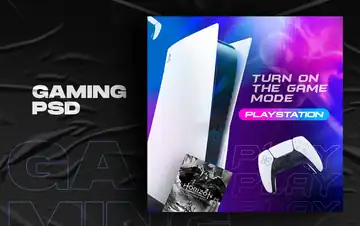
A dark post with a glowing RGB gaming PC cabinet, 'Turn on the game mode' and a neon 'Gaming PC' title.
What's in the design
- RGB PC cabinet
- Neon title
- Game mode line
- Logo
Who it suits
Gaming stores, computer shops, console resellers and PC builders.
How to customise it
- Extract the RAR file and open the PSD in Adobe Photoshop.
- Replace the product photo with the console or PC you sell.
- Add the price, offer and specs.
- Add your logo, address and phone number.
- Export as JPG for Instagram and WhatsApp.
File details
- File type: Layered PSD (Adobe Photoshop), packed as RAR
- Preview size: 1080 × 678 px
- Download size: 48 MB
- Includes: PSD file and a preview image
Download this PSD
Free download. Layered Photoshop file. Please read the license before you use it.
Download now (48 MB)Prompt kit for this template
Copy these into ChatGPT, Gemini, Claude, Midjourney or Adobe Firefly to make matching backgrounds and text for your own version.
AI image prompts for backgrounds and variations
Main imageGlowing RGB gaming PC cabinet with neon pink and blue light, no text, no logos
Background ideaDark gaming setup with purple and green neon lights and an empty podium for a product, no text, no logos
Text prompt to write your headline and offer
Write 5 short headlines (max 5 words) and a 40-word caption for a gaming store called [name] in [city] promoting [product] at ₹[price].
Ready captions for Instagram, Facebook and WhatsApp
English🖥️ Turn on game mode. Custom gaming PCs at [store].
Hindi🎮 गेमिंग का असली मज़ा! [दुकान] पर बेहतरीन ऑफर 📞[नंबर]
Questions
How do I open the RAR file?
Use a free tool such as 7-Zip or WinRAR on Windows, or The Unarchiver on Mac. Then open the PSD in Adobe Photoshop.
Get new freebies
New free design files, shared on our channels.
TelegramWhatsApp