 FreePSDHero
Gaming News Social Media Post PSD Template
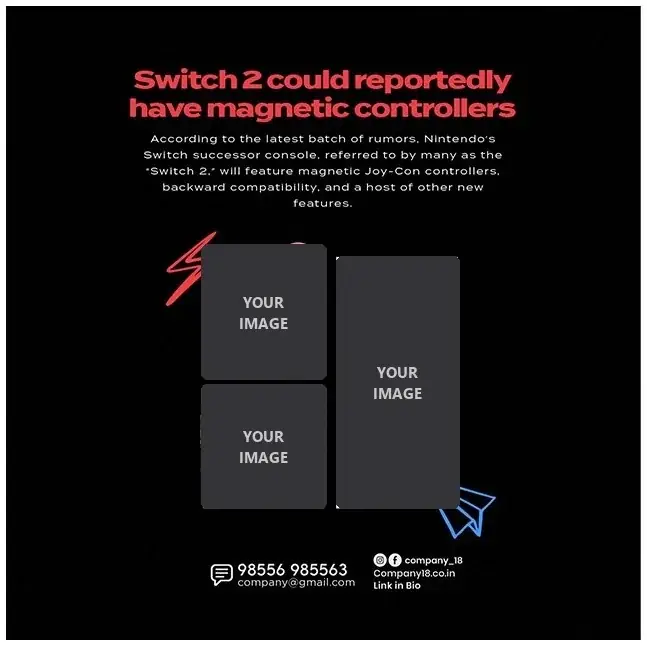
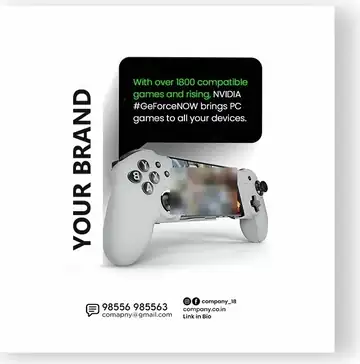
Gaming audiences scroll fast, so a news post needs a strong headline and pictures that are easy to read. This template uses a black background, a bright red headline and a three-photo collage with hand-drawn red and blue doodles that give it some energy.
What's in the design
- A two-line red headline in a chunky rounded font
- A short paragraph in white for the news summary
- A three-image collage: two square photos on the left and one tall photo on the right
- A red lightning doodle and a blue paper-plane doodle
- Footer with phone, email, Instagram and Facebook handle, website and "Link in bio"
Who it suits
Gaming news pages, YouTube gaming channels promoting videos, game and console shops, and gaming cafés announcing new arrivals.
How to customise it
- Extract the RAR file and open the PSD in Adobe Photoshop.
- Write your headline and keep the summary to four or five lines.
- Drop your own images into the three collage frames.
- Update the footer with your handles and contact details.
Note: The three collage frames are empty placeholders for your own images. Use your own screenshots or gameplay photos, or official press images where the publisher allows it. Game characters and console designs belong to their owners.
File details
- File type: Layered PSD (Adobe Photoshop), packed as RAR
- Canvas size: 1300 × 1300 px, RGB
- Download size: 21.5 MB
- Includes: PSD file, PNG export and a preview image
Download this PSD
Free download. Layered Photoshop file. Please read the license before you use it.
Download now (21.5 MB)Prompt kit for this template
Copy these into ChatGPT, Gemini, Claude, Midjourney or Adobe Firefly to make matching backgrounds and text for your own version.
AI image prompts for backgrounds and variations
Text prompt to write your headline and offer
Ready captions for Instagram, Facebook and WhatsApp
Questions
Can I use game characters in my posts?
Game characters and logos are owned by their publishers. News pages often use official press images, but check each company's rules. The safest choice is your own screenshots or gameplay photos.
How do I open the RAR file?
Use a free tool such as 7-Zip or WinRAR on Windows, or The Unarchiver on Mac.
Can I change the red colour?
Yes. Select the headline and doodle layers and change the colour, or add a Hue/Saturation adjustment layer.
Get new freebies
New free design files, shared on our channels.
TelegramWhatsApp